Your old phone as a dog camera and cat camera. Stepped out. Still close.
Your old phone becomes a pet camera. One peek at your other device, and you know what’s happening at home.
- Try for 7 days*
- Then €15.69 per year*
- iPhone, iPad, Android, Mac and Windows
* Planned offer from release. Price incl. VAT. Trial for eligible store accounts.
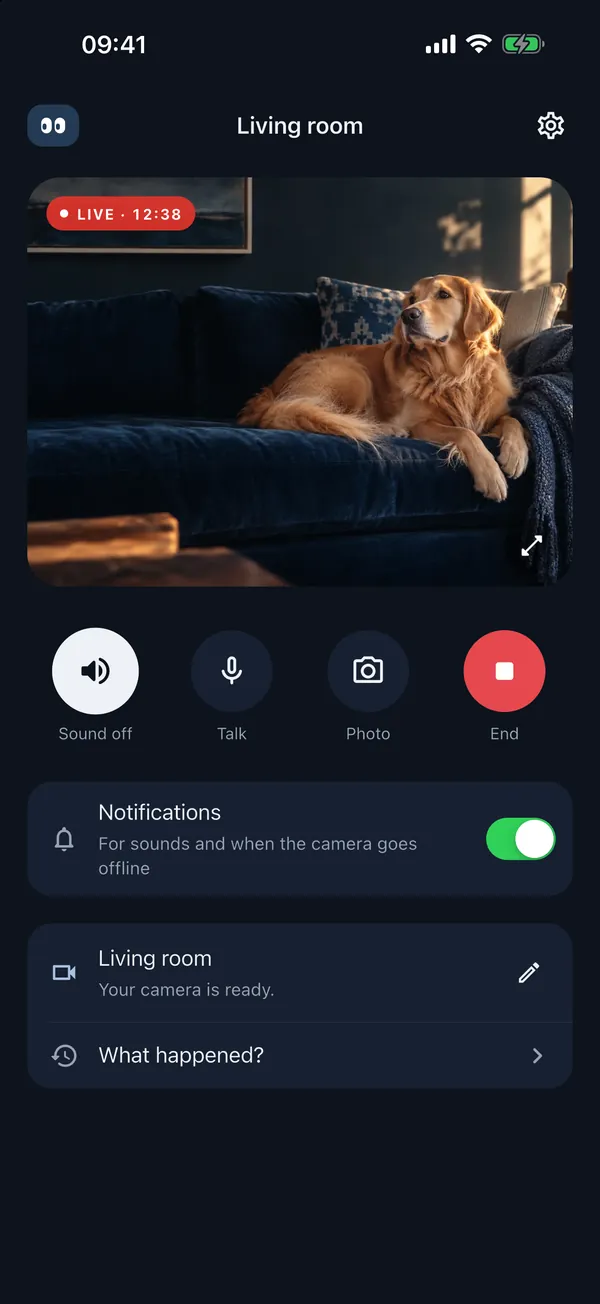
Sofa occupied.All good.
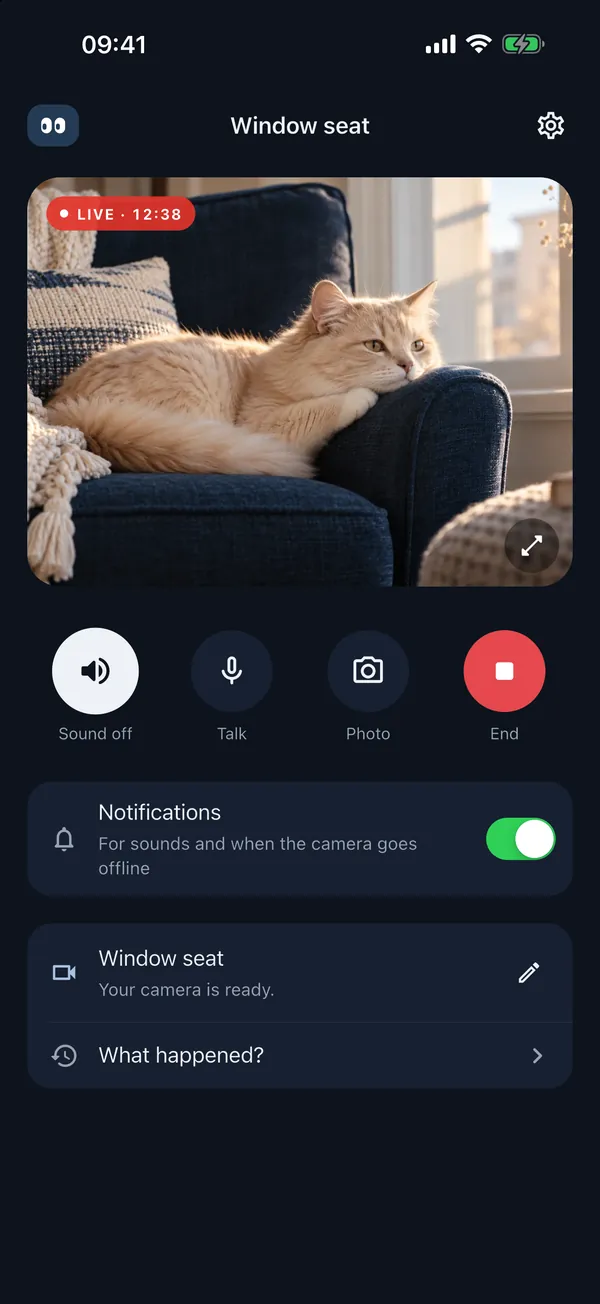
Real screenshots from the app. Only the animals are sample images.
Old phone. New eyes.
- No account
- No video archive
How it works
You need two devices. One of them is probably in a drawer.
The device that stays home
An old phone, tablet, Mac or Windows PC. It sits somewhere with a view of the dog bed, Peekami stays open, ideally plugged into a charger.

The device you carry
Your phone, tablet or computer. Here you see and hear what’s happening, get alerts for loud noises and can say something at the press of a button.
Install
Install Peekami on both devices. You don’t need an account or even an email address.
Pair
The camera device shows a code. Type it in on the other device or scan the QR code.
Set it down
Put the camera device where it can see the favourite spot. Plug in the charger, leave the app open. That’s it.
Placement tips: Dog camera and Cat camera.
Any combination works.
iPhone films, Android watches. Or the old iPad films and you watch on your Windows PC. Tap the grid.
iPhone or iPad films, Mac watches. In camera mode, the app stays open. For longer sessions, it’s best to keep it on the charger.
| camera ↓viewer → | iPhone & iPad | Android | Mac | Windows |
|---|---|---|---|---|
| iPhone & iPad | ||||
| Android | ||||
| Mac | ||||
| Windows |
The app
There they are.
What it looks like in the app.
See and hear what’s happening right now. Over Wi-Fi or mobile data.
Press the button, say something. Whether the cat reacts is up to the cat.
The camera device detects loud sounds locally. You set the sensitivity yourself. On iPhone, iPad and Android, alerts arrive even when the screen is locked.
30 days: when something happened and for how long. No video or audio recordings.
What Peekami does. And what it doesn’t.
Does
- Live video and sound, even on mobile data when you’re out.
- Talk-back at the press of a button.
- Noise alerts, on iPhone, iPad and Android even when the screen is locked.
- History of the last 30 days: no clips, just the events.
- Two viewers at once, for example you and your partner.
- Four platforms: iPhone and iPad, Android, Mac and Windows.
Doesn’t
- Recording. There’s no video archive. What you don’t see live is gone.
- Film with the app closed. On the camera device, Peekami stays open and the device stays awake.
- Replace an alarm system. Video, sound and alerts can be delayed or drop out.
- Get through every firewall. Some office or hotel Wi-Fi networks block the connection.
Privacy
We don’t watch your dog.
Video and audio travel encrypted from device to device. If no direct connection works, our server only passes the encrypted data on. We store none of it.
Read the privacy policy- Account
- None. No email, no password.
- Video archive
- None. Nothing is recorded.
- Server
- Frankfurt, Germany, run by us.
- Ads, tracking
- No. Neither in the app nor on this website.
- Pairing
- Remove it any time in the app.
Peekami Plus
One subscription for the whole household.
€15.69 per year
The first 7 days are free if your store account is eligible.
- Pair and try it. Ten minutes of video and sound before you sign up for anything.
- Confirm your trial subscription in the store. Your 7-day trial starts only when you confirm in the store. Installing and pairing alone do not start a subscription.
- Then €15.69 per year. Renews automatically each year. Manage and cancel in the store.
Planned offer from the app’s release. The apps are not yet available in the stores; you cannot subscribe on this website. Price for Germany, including VAT. The store shows local prices and trial eligibility. Subscribe in the app on iPhone, iPad, Mac or Android; paired Windows PCs are also unlocked.
PEEKAMI PLUS
Annual subscription
- Trial*
- 7 days
- Then per year
- €15.69
- Paired devices
- all
- Viewers at once
- 2
- History
- 30 days
- Account
- none
- Video archive
- none
*for eligible store accounts
Manage and cancel in the store
Runs on whatever you have lying around.
Peekami is coming soon. As soon as the app is in the store, you’ll find the direct link here.
| Device | Requirement | Store | Status |
|---|---|---|---|
| iPhone & iPad | iOS/iPadOS 15 or later | App Store | Soon |
| Android | Android 7 or later · with Google Play | Google Play | Soon |
| Mac | macOS 12 or later | Mac App Store | Soon |
| Windows | Windows 10 or 11 · 64-bit | Microsoft Store | Soon |
Rule of thumb: if the old device still gets updates and the camera and microphone work, it’s good enough.
Made in Freilassing, Bavaria.
Peekami comes from Hard Hat and Hoodie, an independent product studio run by Anton and Melina Metzler.
Questions and feedback go by email straight to the people who build Peekami.
hallo@peekami.comQuestions people often ask.
Do I need a new camera?
No. Use a phone, tablet or laptop you already own with a camera and microphone. A second device becomes your screen on the go. Both need Peekami and an internet connection.
Will Peekami run on my old device?
If it still runs a recent operating system, usually yes: Peekami runs on iPhone and iPad with iOS or iPadOS 15 or later, on Android 7 or later with Google Play, on Mac with macOS 12 or later and on Windows 10 or 11 (64-bit). The camera and microphone must work.
Can I connect an iPhone and an Android device?
Peekami is available for iOS, Android, macOS and Windows, and you pair using a shared code or, on supported devices, a QR scan. You choose which device is the camera and which one you watch on.
Does Peekami also work outside my Wi-Fi network?
Yes, on most networks. Both devices need an internet connection, via Wi-Fi or mobile data. Peekami tries a direct connection first; if that doesn’t work, our server relays the encrypted data. On heavily restricted networks, such as some company or hotel Wi-Fi, the connection may fail.
Does the camera device need to stay on?
Yes. Keep Peekami open and the camera device awake. Plug it into a charger for longer sessions. Locking, power-saving features or closing a laptop lid can interrupt the camera. Continuous streaming uses data and battery. Video, audio and alerts can be delayed or fail. Peekami is not an alarm system.
How many devices can watch?
With Peekami Plus, up to two viewers can access one camera at the same time, for example you and your partner. You can remove each viewer’s access separately in the app.
What does Peekami cost?
Try free for 7 days, then €15.69 per year. Renews automatically each year. Manage and cancel in the store. Trial available only to eligible store accounts; the offer shown in the app applies.
How do I cancel my subscription?
Manage and cancel your subscription in the store where you subscribed. Cancel before its stated deadline to avoid another charge. Once access expires, you need an active subscription to keep watching. Deleting the app does not cancel the subscription.
Does the subscription cover all my devices?
Yes. Your active annual subscription covers all devices in your pairing, including Windows PCs. Subscribe in the app on iPhone, iPad, Mac or Android. After pairing again, use “Restore purchases” with your original store account.
Do I get alerts when Peekami is closed on my phone?
Sound detection runs on the camera device as long as Peekami is open there. On iPhone, iPad and Android, alerts arrive even when the screen is locked, if you allow notifications. Focus or power-saving modes can delay them. On Mac and Windows, alerts arrive while Peekami is running there.
Are video and audio recorded?
Peekami encrypts video and audio in transit and does not create a video or audio archive. Your devices are explicitly paired with each other. You can remove a pairing in the app.
What happens if Peekami is ever discontinued?
Peekami needs our relay service, which we run on a best-effort basis. If we ever discontinue it, we will announce this at least twelve months in advance.
Another question? Write to us.